Linking a bank account to your StraitsX Business account is intended to enable you to transfer in to your account. In order to transfer out funds, your bank account will need to be verified first by uploading a valid bank statement or by making a transfer in.
Here are the steps to linking your bank account:
Link a Bank Account
- Please visit the StraitsX website and log in to your account here.
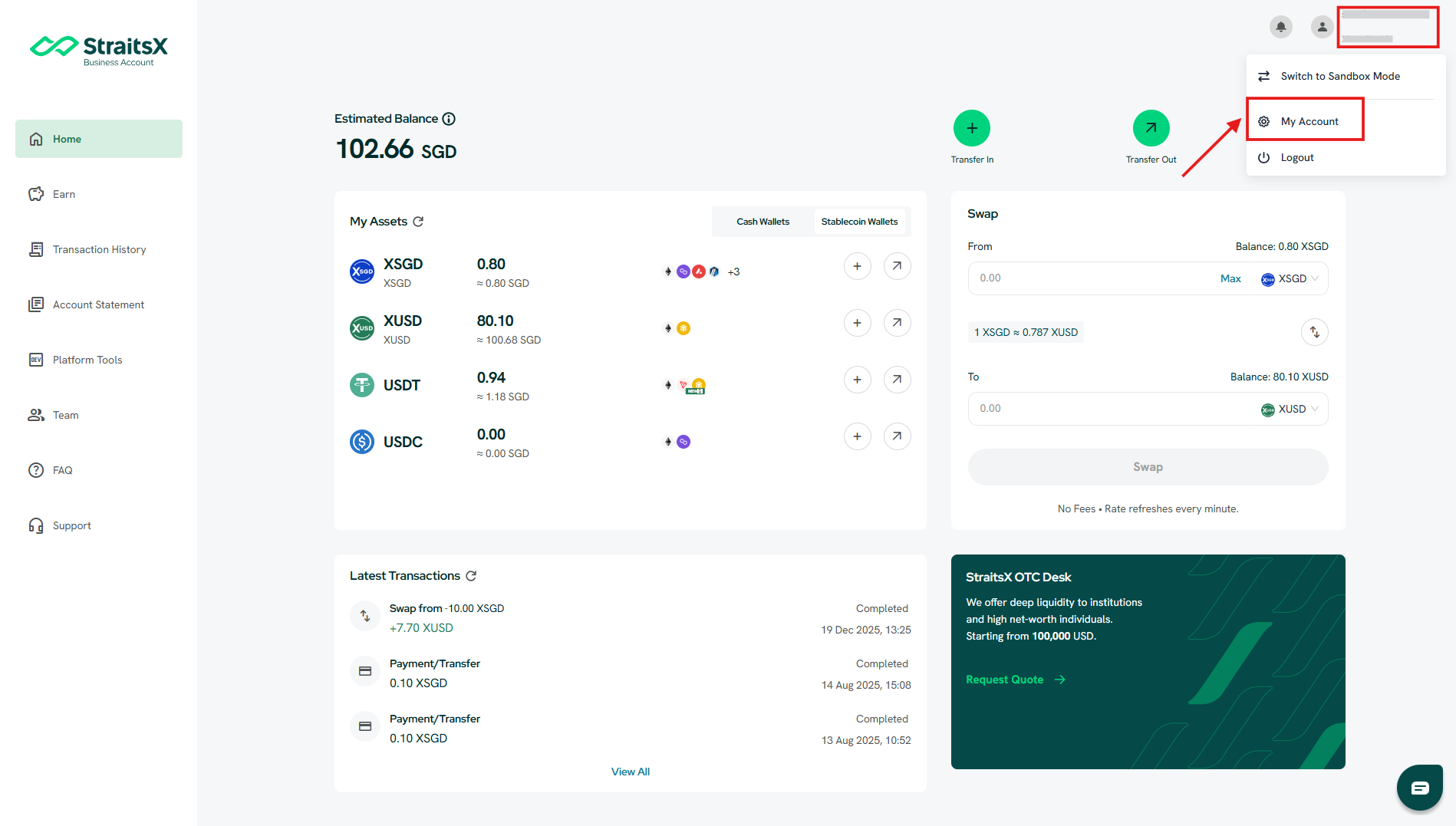
- Click on your business account name at the top right corner, and select "My Account".
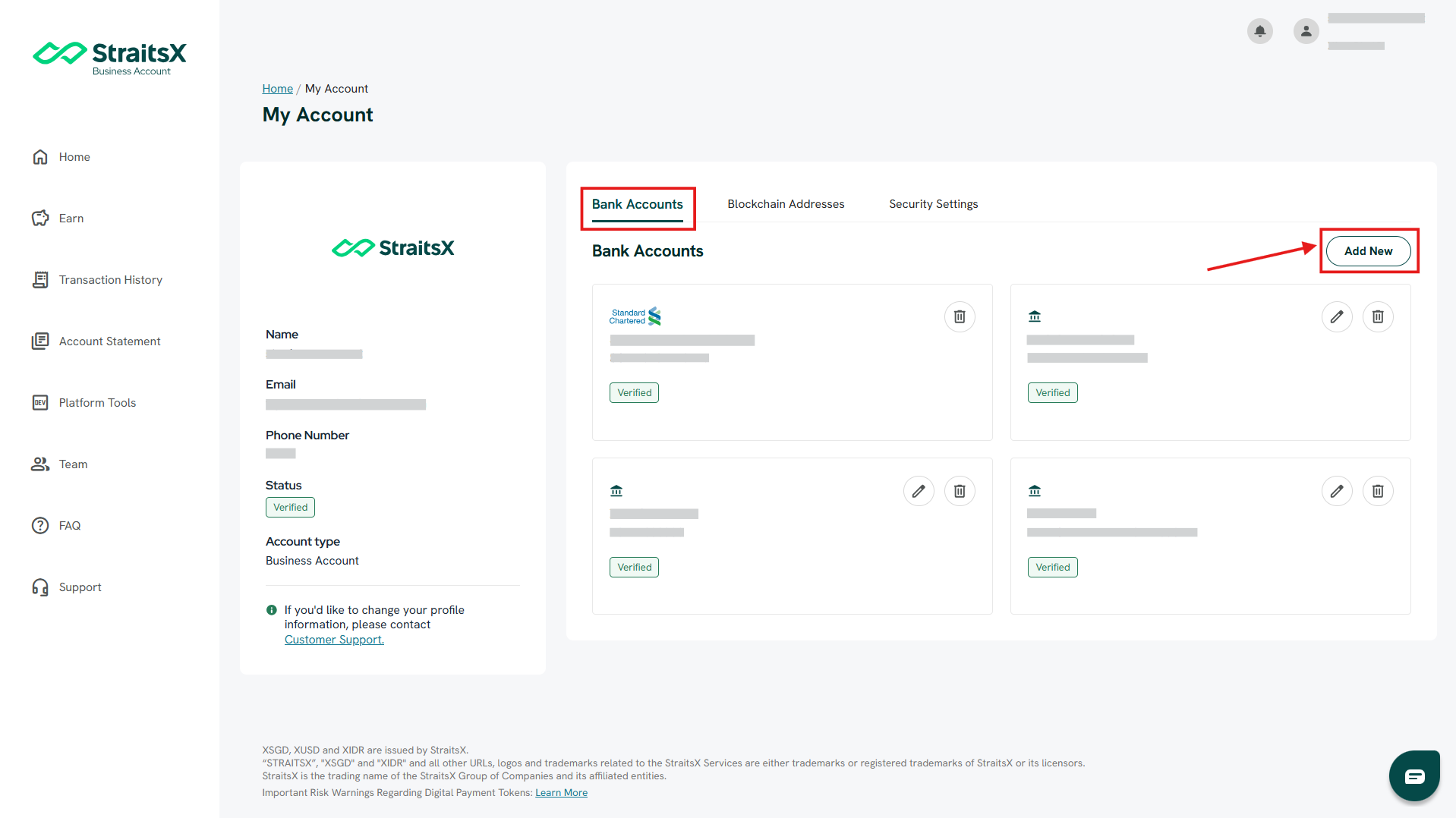
- On the "Bank Accounts" tab, click on the "Add New" button.
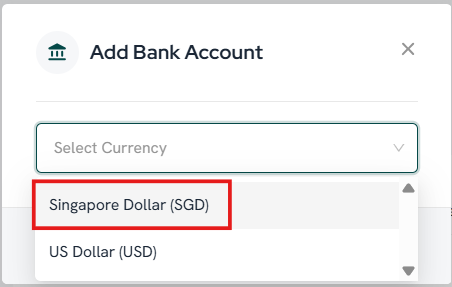
- Click on "Add New" and select "Singapore Dollar (SGD)" as the currency, then click "Next".
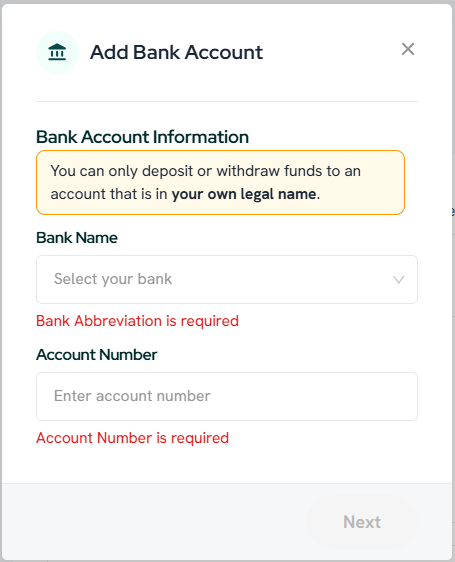
- Select a bank name that appears on the page and fill in the bank account number, then click "Next".
Verify a Bank Account
To verify your bank account , you need to upload a valid bank statement:
- Click on your name at the top right corner and click on "My Account" to display your bank account settings.
- Click on "Verify Now" to verify your bank account.
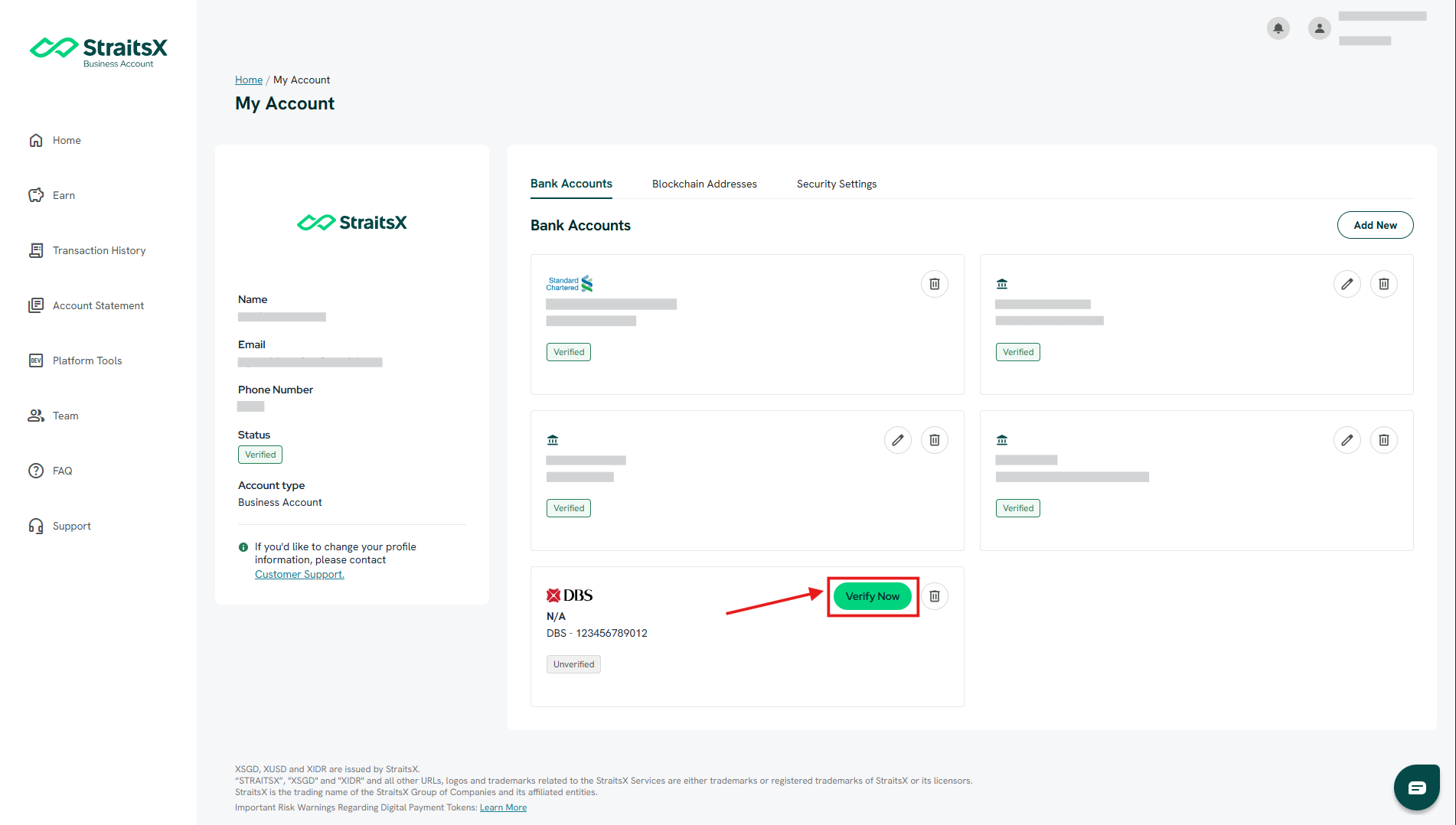
- Upload a valid bank statement as per the requirements (Name, Address, Bank Account Number, Bank Logo, Date of Issuance within 3 months to date, and Header & Footer), and click "Submit".
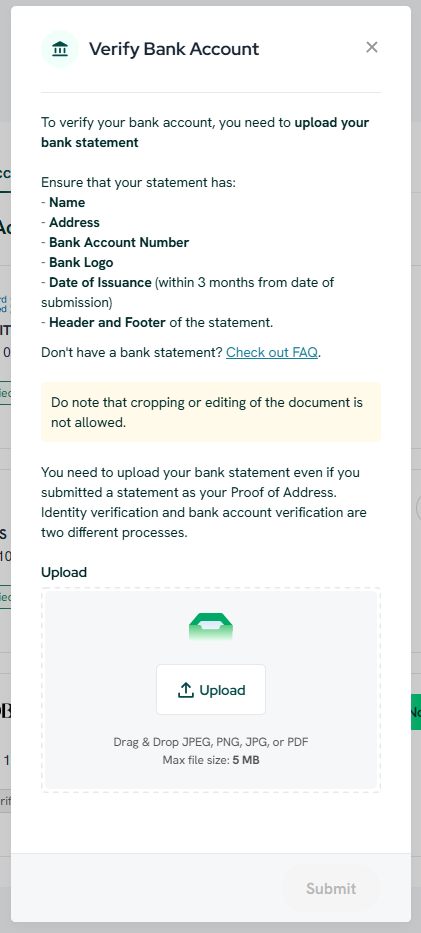
The bank statement has been uploaded to your StraitsX account. The bank account verification process may take up to 1 working day. This bank account can be used for withdrawals once it has been verified, which will be notified to you via email.
Was this article helpful?
That’s Great!
Thank you for your feedback
Sorry! We couldn't be helpful
Thank you for your feedback
Feedback sent
We appreciate your effort and will try to fix the article