We have launched a new method for verifying your non-custodial browser wallets through wallet signing. Connect your browser wallet (we currently only support Metamask) to StraitsX, sign a message with your wallet, and your wallet address will be verified. You’ll need to have the MetaMask extension installed on your desktop browser or the MetaMask mobile app if you're using a mobile device. Download MetaMask at https://metamask.io/.
Add and Verify Your Blockchain Address via MetaMask
1. Log in to your StraitsX account. Click on your name at the top right corner and click on "My Account" to display your account settings.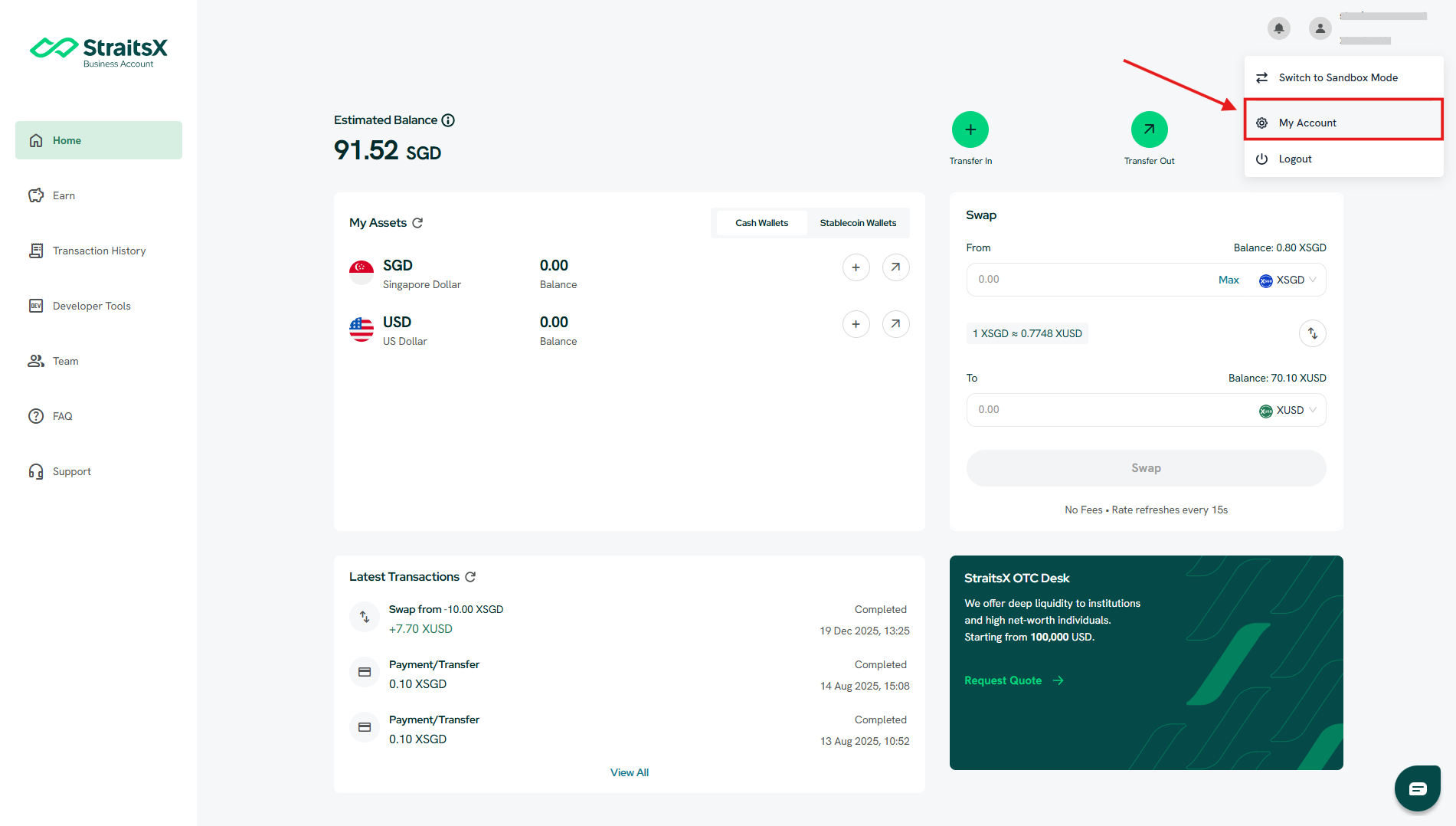
2. Click on the "Blockchain Addresses" tab to display blockchain address settings.
3. Click on "Add New" to add a new blockchain address.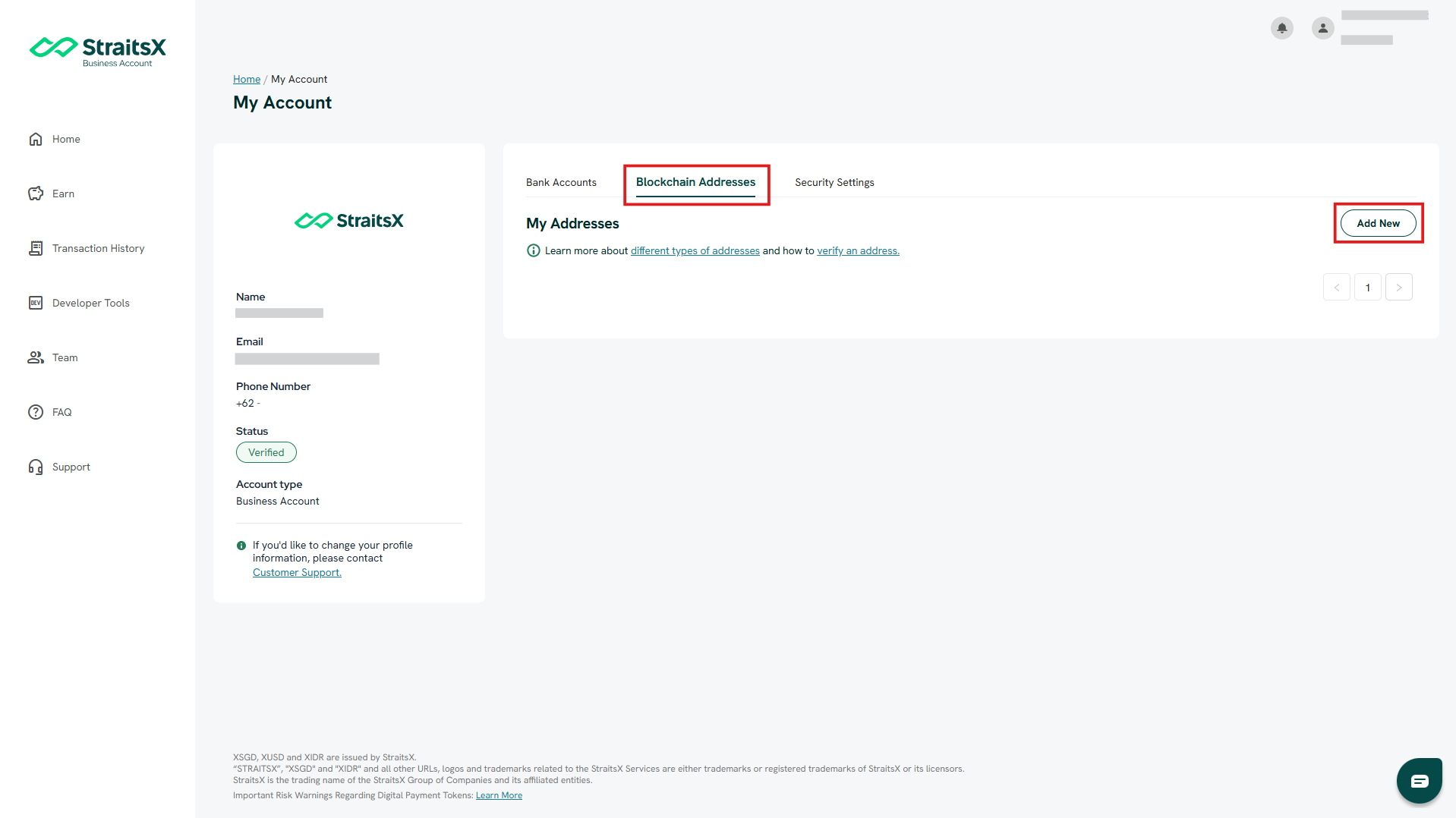
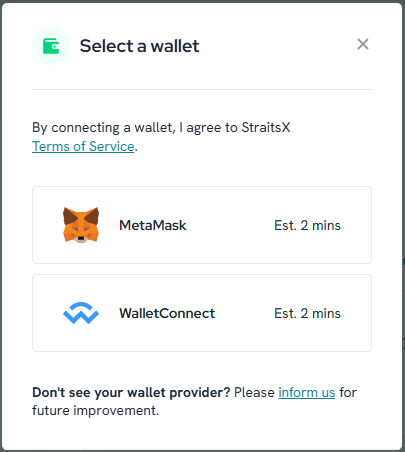
4. A modal will pop up. Select “Link with your wallet”, then choose "MetaMask".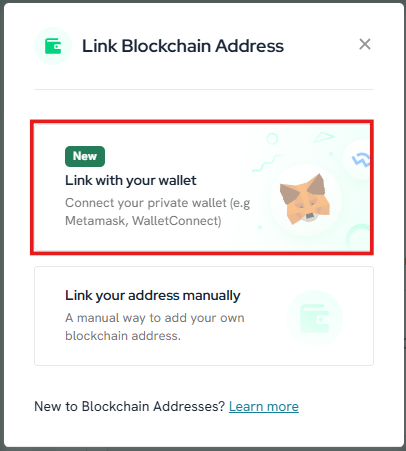
5. You will be asked to verify and sign to whitelist your blockchain address in your StraitsX account. From here, click on “Verify and Sign”. By doing so, your wallet will be automatically whitelisted for Ethereum, Polygon, Avalanche C-Chain, Arbitrum, and BNB Smart Chain networks simultaneously. You can also select "Do It Later" if you decide to link it later.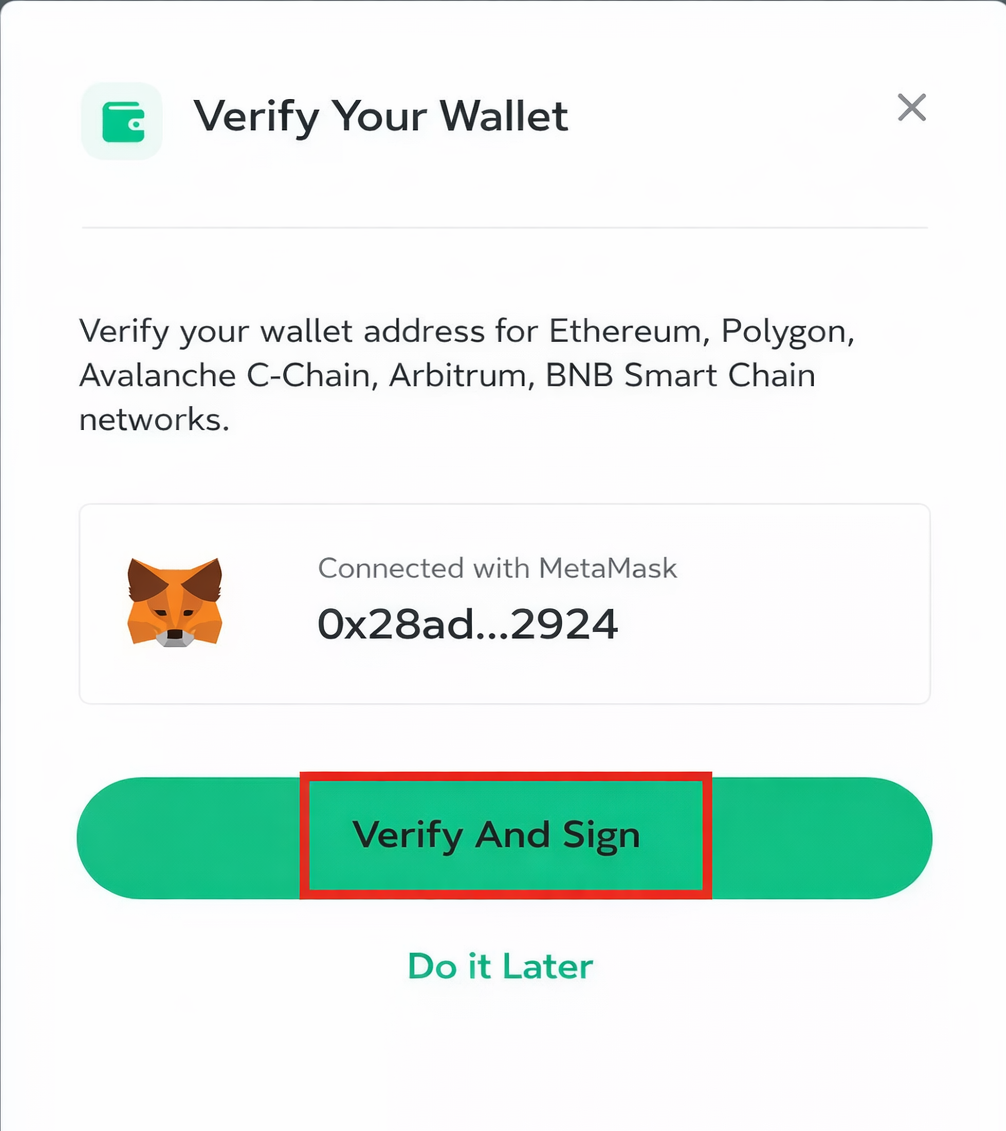
6. A pop-up on your wallet extension on the browser will appear for your signature request. Click “Confirm” to proceed.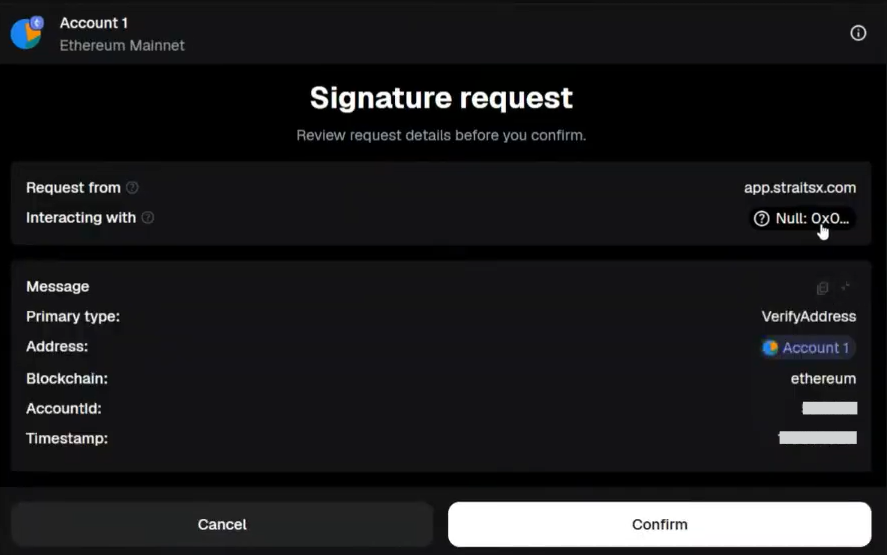
7. Once you sign, you’ll see a confirmation modal. This indicates your address has been successfully submitted for verification.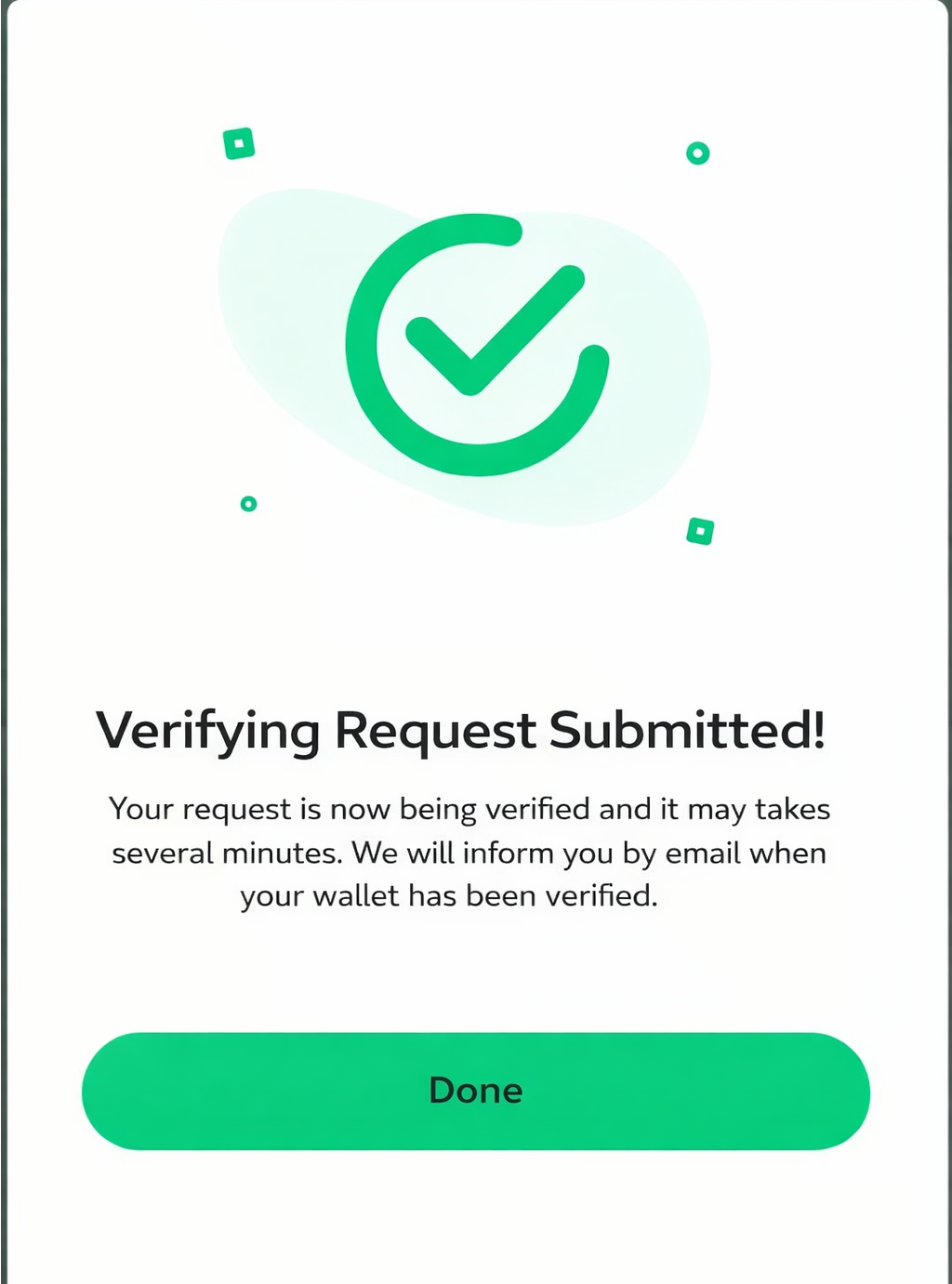
8. After confirmation, your MetaMask wallet will appear in your StraitsX account under Blockchain Addresses as verified.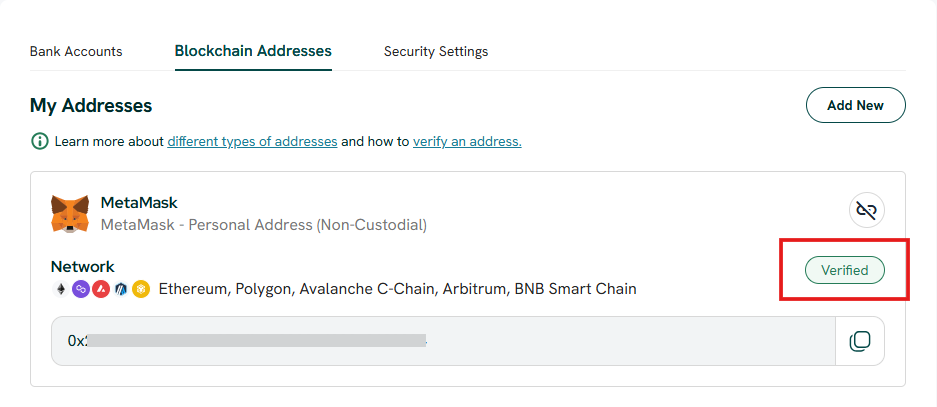
Was this article helpful?
That’s Great!
Thank you for your feedback
Sorry! We couldn't be helpful
Thank you for your feedback
Feedback sent
We appreciate your effort and will try to fix the article